BUILT FOR HIGH-OUTPUT AI BUILDERS
Build more.
While AI is still this affordable.
Today’s AI subscriptions give builders an extraordinary amount of intelligence for a monthly price.
Bring the plans you pay for together, keep available capacity visible and turn more experiments into production. With AI Podium, share your token activity and the AI behind your day.
Free & open source · macOS 26+ Claude
 OpenAI
 Kimi
Kimi Cursor
 GrokChatGPT
 Gemini
 Perplexity
 DeepSeek
 Mistral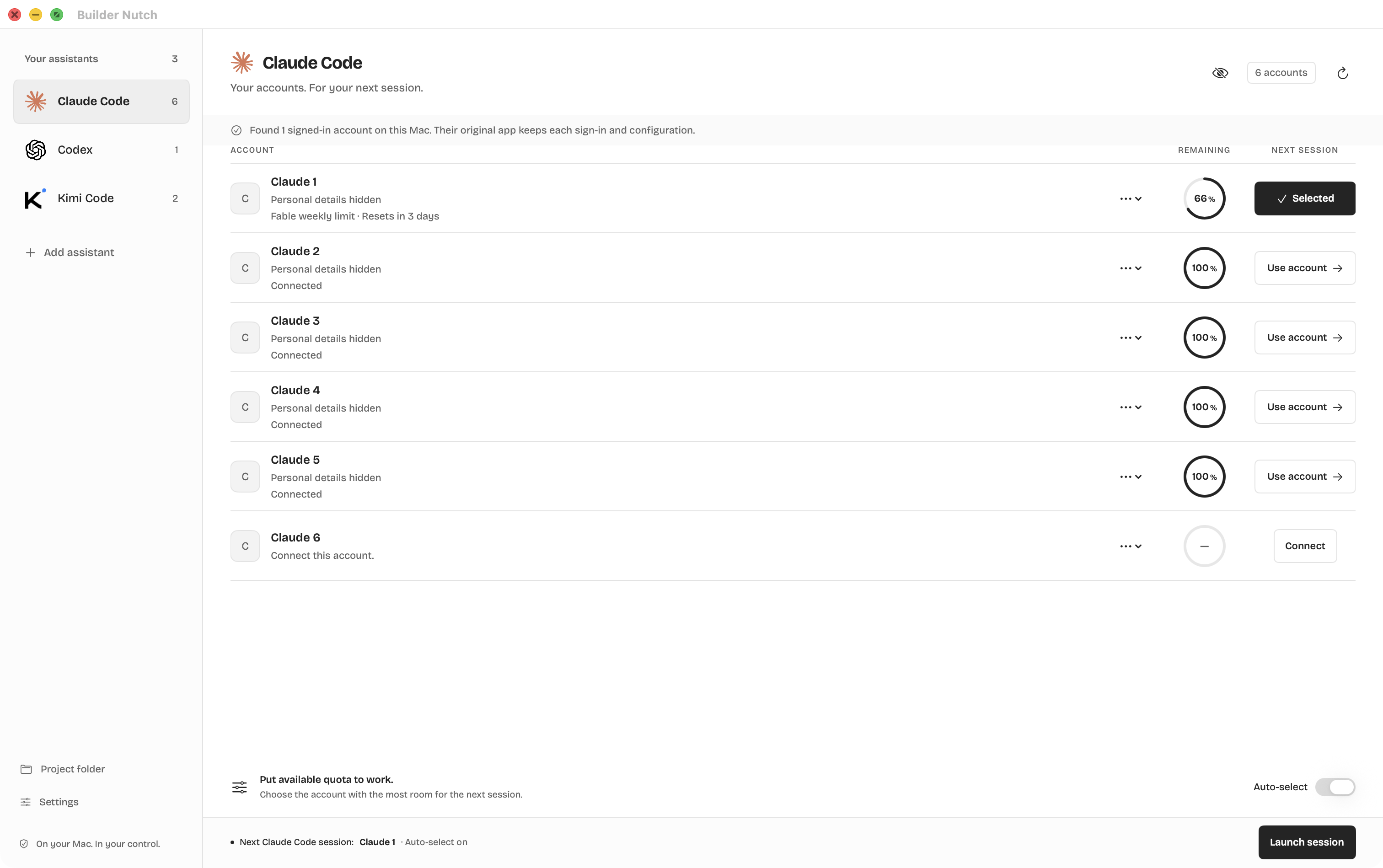
Less AI talk.
Show your work.
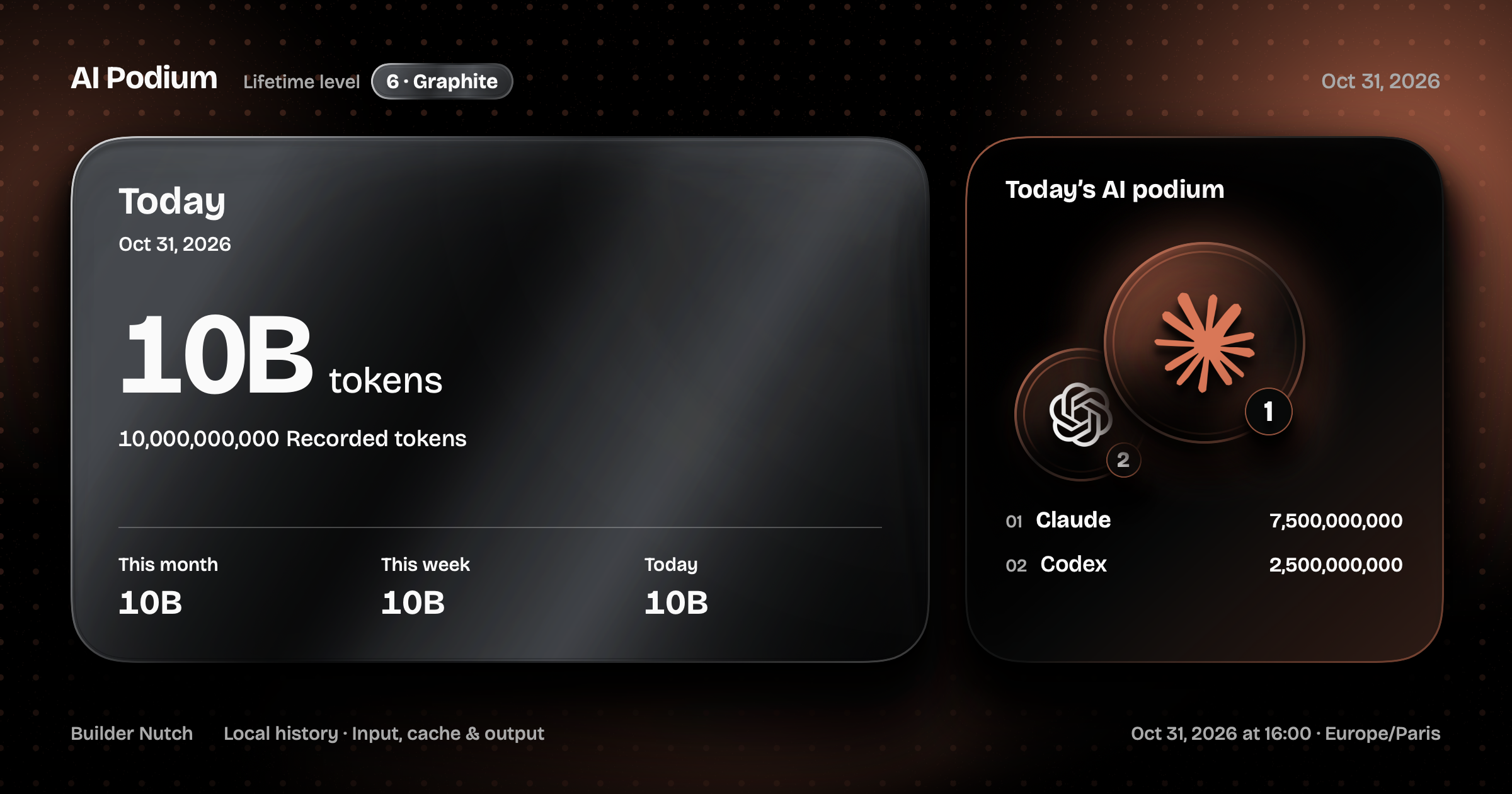
Download the app. Recover your recorded Claude Code and Codex history. Share your score alongside what you built. That’s AI Podium.
- Today, this week, this month — or one project
- Today’s top AI, ranked by recorded tokens
- Existing local history counts from the first launch
Use today’s
pricing advantage.
A few subscriptions can unlock a serious R&D pace.
Keep every plan ready for the next build.
- 01
Your service. Your login.
Already signed in on your Mac? Claude Code, Codex and Kimi Code accounts are detected automatically. To add another, click Add assistant and sign in on its official page.
Choose → Sign in → You’re in - 02
Make every account familiar.
Work, personal, the next experiment. Add a nickname and an emoji after connecting, so the right account is always easy to find.
One account, one clear identity - 03
Launch with room to work.
Pick an account in one click, or let available quota guide your next coding session. Existing sessions keep their account.
Available quota → Next session
Out of sight.
Still on your side.
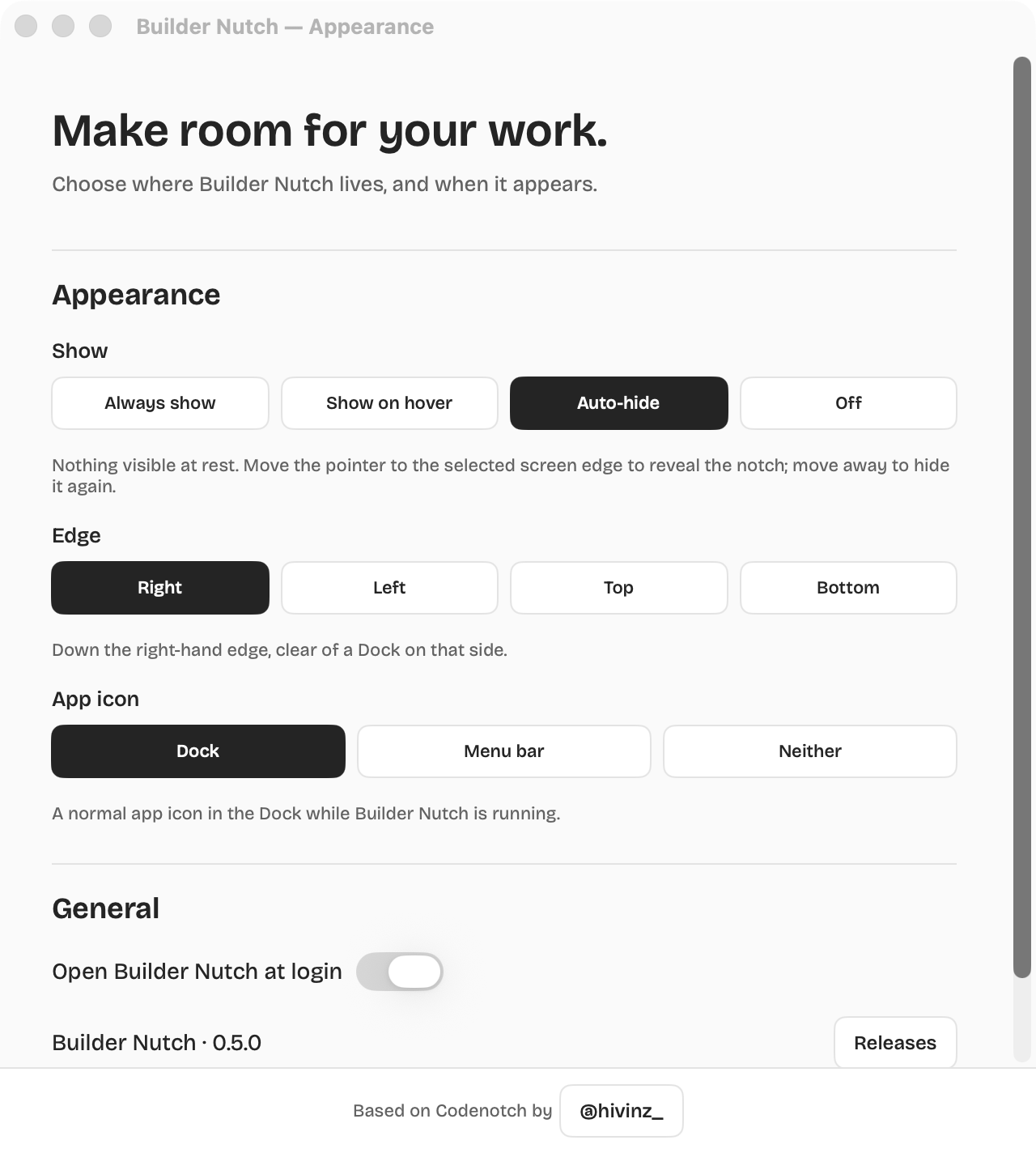
Keep your workspace yours. Auto-hide makes the notch disappear until your pointer reaches the screen edge — left, right, top or bottom.
Your assistants keep working while it’s tucked away.
Use affordable intelligence.
Ship valuable products.
Buying the same volume through direct API or enterprise plans can cost far more. Individual subscriptions make intensive experimentation unusually accessible today. Use that advantage to test ambitious ideas, move faster and put the winners into production.
Builder Nutch keeps every plan visible and ready on your Mac. Subscribe within each provider’s terms, build aggressively and make the monthly cost earn its place in shipped work.
See the source on GitHubBefore you
get building.
What is AI Podium?
AI Podium turns your recorded Claude Code and Codex activity into a shareable image: token totals for today, this calendar week or this month, plus the AI assistants you used most today. You can also focus on a single project. Input, cache and output are included; reasoning is part of output, not added twice. Incomplete readings stay marked.
What does my AI Podium share?
The image shows token totals, dates and your AI ranking. Account names and conversations stay private. A project name appears only when you select a project and personal details are visible. Copy or save the image, then attach it to your post on X or LinkedIn. The optional 17:30 notification opens today’s preview; it does not publish for you.
Will it find accounts already on my Mac?
Yes. Builder Nutch checks the usual Claude Code, Codex and Kimi Code profile locations and adds confirmed signed-in accounts. It reuses the original sign-in without copying tokens. Previously linked profiles and verified duplicate identities are skipped; removed profiles stay removed. Kimi can show separate profiles for the same subscription when its tool does not provide account identity. Browser subscriptions need their own sign-in; browser cookies are not scanned.
Can I add six accounts from the same service?
Yes. Create a separate profile for every account you want to use. There is no six-account cap. Choose your service, sign in on its official page, then add a nickname and emoji if you like.
What happens when an account reaches its limit?
With automatic selection enabled, the next session you launch from Builder Nutch uses an eligible account from the same provider with the most fresh, verified quota. Accounts at their limit, with stale usage or without a connection are skipped. Running conversations keep their existing account.
Which services can I connect?
Claude Code, Codex and Kimi Code support isolated coding accounts. Grok, ChatGPT, Gemini, Perplexity, DeepSeek, Mistral and the Cursor dashboard use separate browser profiles. Cursor’s desktop editor and other standalone desktop apps keep their own logins.
Will I see usage for every account?
Codex and Kimi Code read usage through their official local tools. Recent Claude Code versions can read plan limits without sending a message. When a service does not return limits, the app shows them as unavailable. For browser profiles, check usage on the service’s website. Browser profiles are excluded from automatic selection.
Does Builder Nutch give me extra AI usage?
Every subscription keeps its own limits and terms. Builder Nutch helps you put the accounts you already pay for to work. It does not increase quotas or transfer a running conversation between accounts.
Where do my logins go?
Sign-in happens through the official coding tool or an isolated browser profile on your Mac. Builder Nutch does not ask you to paste passwords or authentication tokens. The marketing website has no access to your accounts.
Use the window. Ship the product.
Turn today’s AI pricing into tomorrow’s production software.
Get Builder Nutch for MacmacOS 26+ · Apple Silicon & Intel · Free & open source