AI PODIUM · BUILT ON ACTUAL USAGE
Less AI talk.
Show your work.
You build with AI. Let your activity speak.
Download Builder Nutch, recover the history on your Mac, and share your AI Podium. Real token totals, the tools you use, and a clear view of your day.
Free & open source · For MacYOUR HISTORY COMES WITH YOU
Already building?
You don’t start at zero.
Builder Nutch reads the Claude Code and Codex session records already on your Mac, including archived Codex sessions. Work recorded before you installed the app can count toward your score.
Close the app and keep working. It catches up from the records still available when you reopen it. Once captured, your token history is saved separately from the original sessions.
Deleted records that were never captured cannot be recovered. Missing and partial readings stay visible.
See how the counting worksYour usage. Your score.
Nine levels, from White to Black. Based on saved tokens.
Reached at 10B lifetime tokens. Next: Obsidian at 100B.
Example preview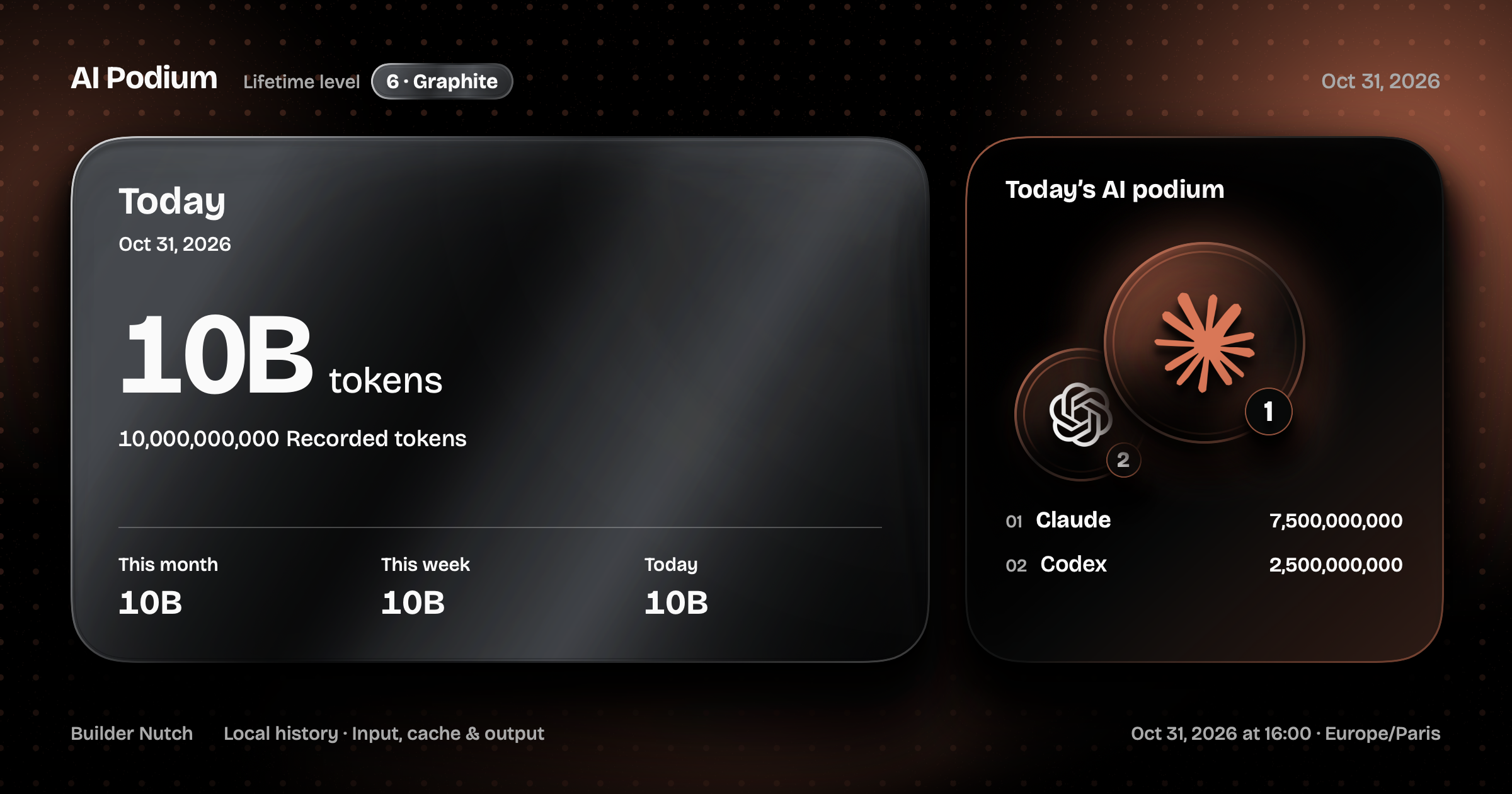
THE NEXT STAMP
Keep building. Earn GenGen.
Go beyond Graphite to Obsidian, at 100B saved tokens. Or keep Graphite for two calendar months from its recorded unlock date. Either path unlocks GenGen.
Your saved history determines the stamp. If the Graphite date is unknown, we don’t invent one. Changing the period or project you share does not reset your progress.
Meet the generative generationDOWNLOAD. RECOVER. SHARE.
Make your usage
part of the story.
Talking about AI is easy. Sharing how you actually use it makes the conversation concrete. Put your score next to what you built.
- 01
Download the app.
Install Builder Nutch on your Mac. Open Usage to read the available Claude Code and Codex history.
- 02
Recover your score.
Your saved tokens determine your level. Open Share, then choose today, this week, this month or one project.
- 03
Be transparent.
Copy or save your image and share it on X or LinkedIn alongside your work. You choose when to post and what to say.
Does a high score prove expertise?
Your score measures recorded token consumption. It does not certify skill, productivity or the quality of what you build. Share it with the work itself to give the numbers context. There is no public leaderboard or requirement to publish.
Did I need Builder Nutch running from the start?
No. Existing Claude Code and Codex records can be read when you first open the app or return later. The records must still be on this Mac. Captured token history stays saved locally after the original sessions are cleaned up.
Do levels reset each day?
No. Levels use the token history saved on your Mac. Changing the chart period or sharing a project does not reset your level. Saved readings remain after session files are cleaned up.
Which tokens count?
Recorded input, cache and output from Claude Code and Codex. Reasoning is already part of output and is not counted twice. Missing readings are never invented; partial totals stay marked.
What appears in the image?
Token totals, dates, your level and today’s AI ranking. Accounts and conversations stay private. A project name appears only when you choose a project and personal details are visible. Posting is always your choice.
LET THE ACTIVITY SPEAK
Big AI claims?
Ask for their score.
Have doubts about someone’s AI claims? Ask them to share their AI Podium alongside what they’ve built.